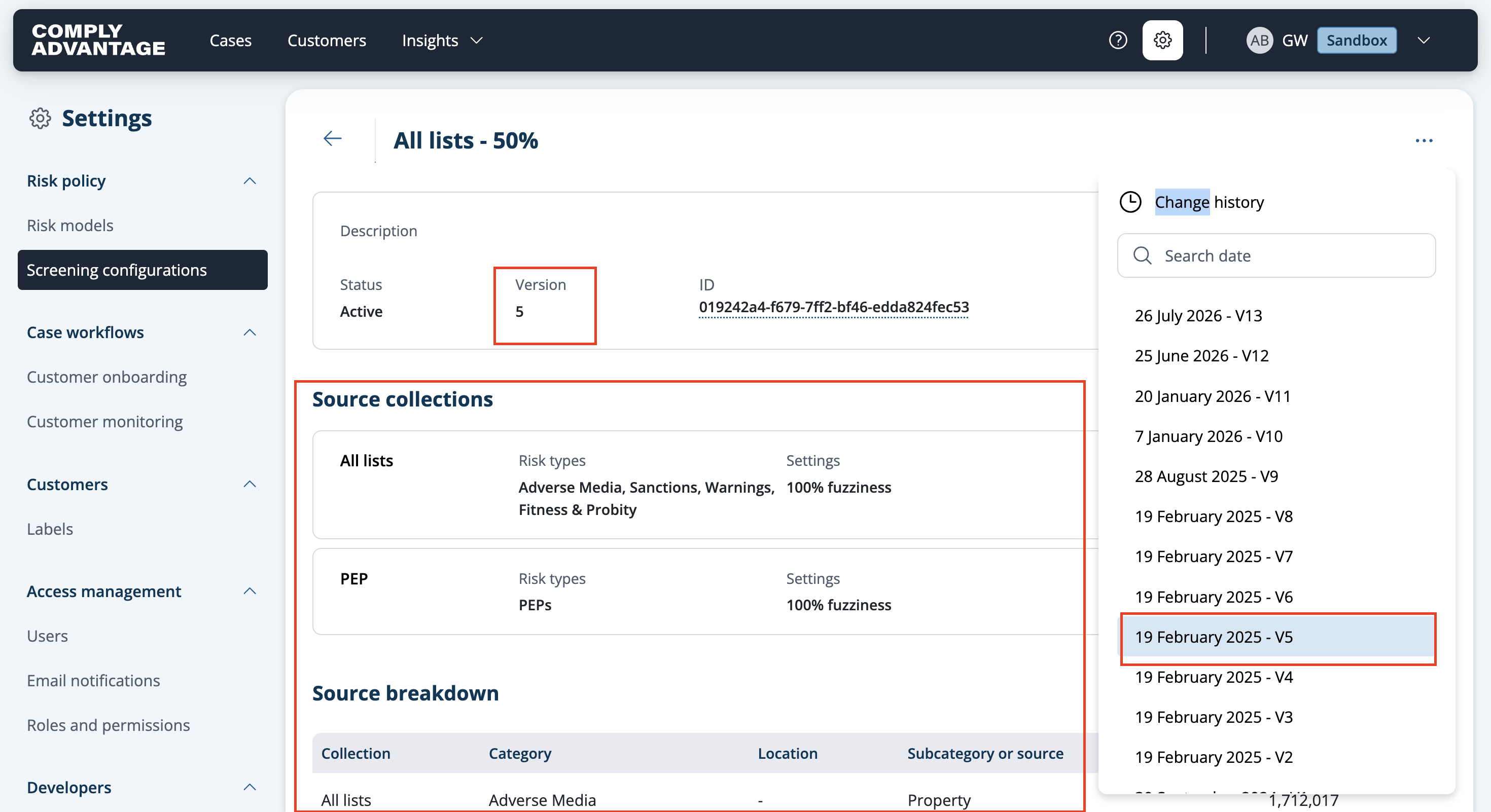
Viewing the change history of a screening configuration
Last updated: July 26, 2026
You can see how a screening configuration has changed over time by viewing its change history.
Click Settings in the top-right corner and select Screening configurations from the navigation menu on the left.

Select the screening configuration you want to see the change history for.
Click the three dots in the top-right corner.

Select View change history from the dropdown menu.

A side menu opens where you can choose different versions of the screening configurations, showing the dates they were created.
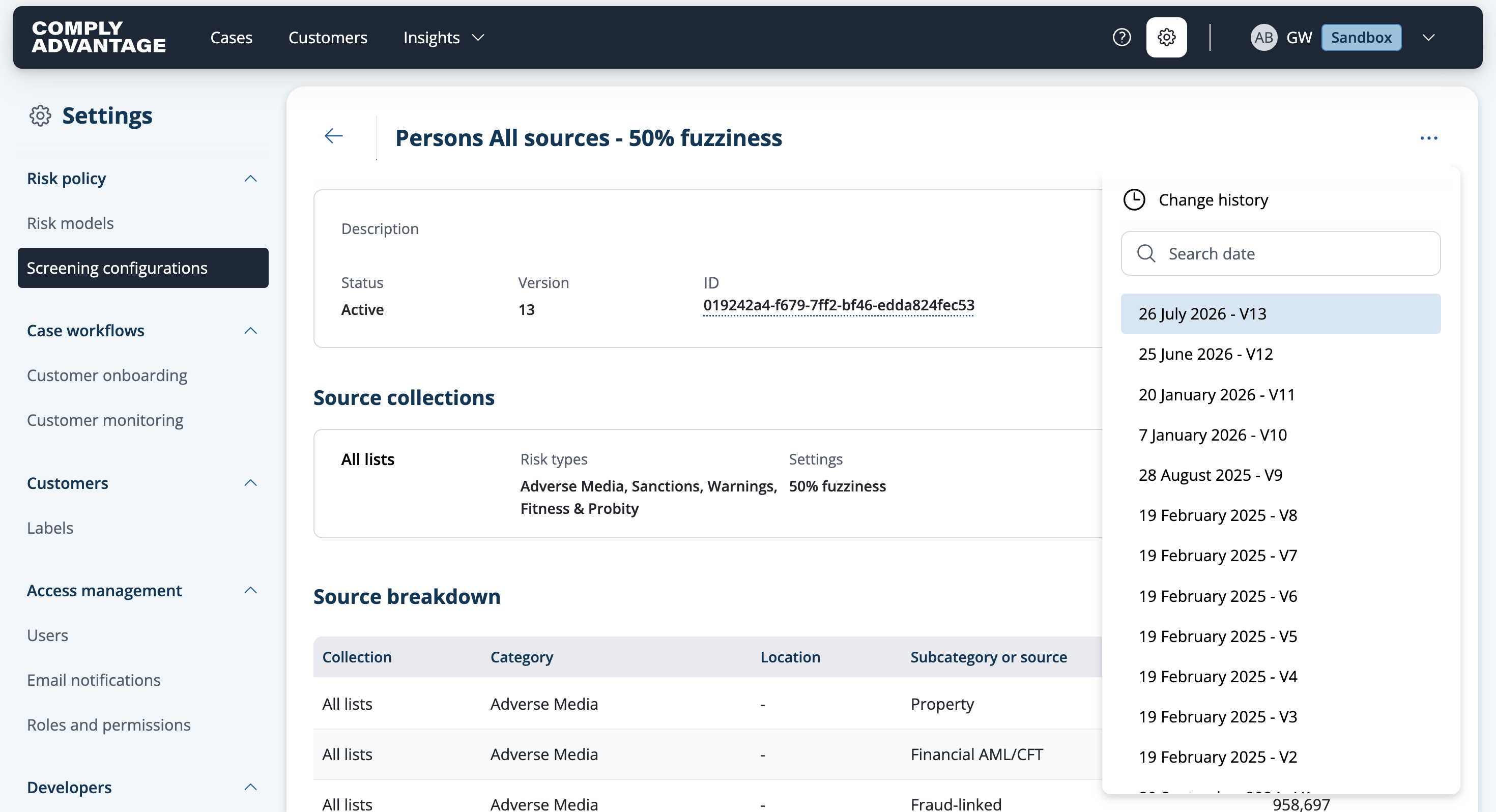
Select the version you want to review.
You can see which collections and sources your chosen version of the configuration had, when it was updated and by whom.