Get started with Payment Screening on Mesh
Last updated: September 9, 2026
Payment Screening enables you to screen payments in real-time against:
Our sanctions intelligence data
Your internal (custom managed) lists.
Both capabilities are seamlessly embedding the screening process into your payment authorization flow.
Below are step-by-step instructions on configuring and using Payment Screening.
1. Payment screening configurations
Purpose
The configurations determine:
• The sanctions lists or custom lists to be used for screening the payment.
• The selection of relevant payment attributes to screen (i.e. name, BIC, reference text)
• The level of fuzziness in the matching process for each attribute.
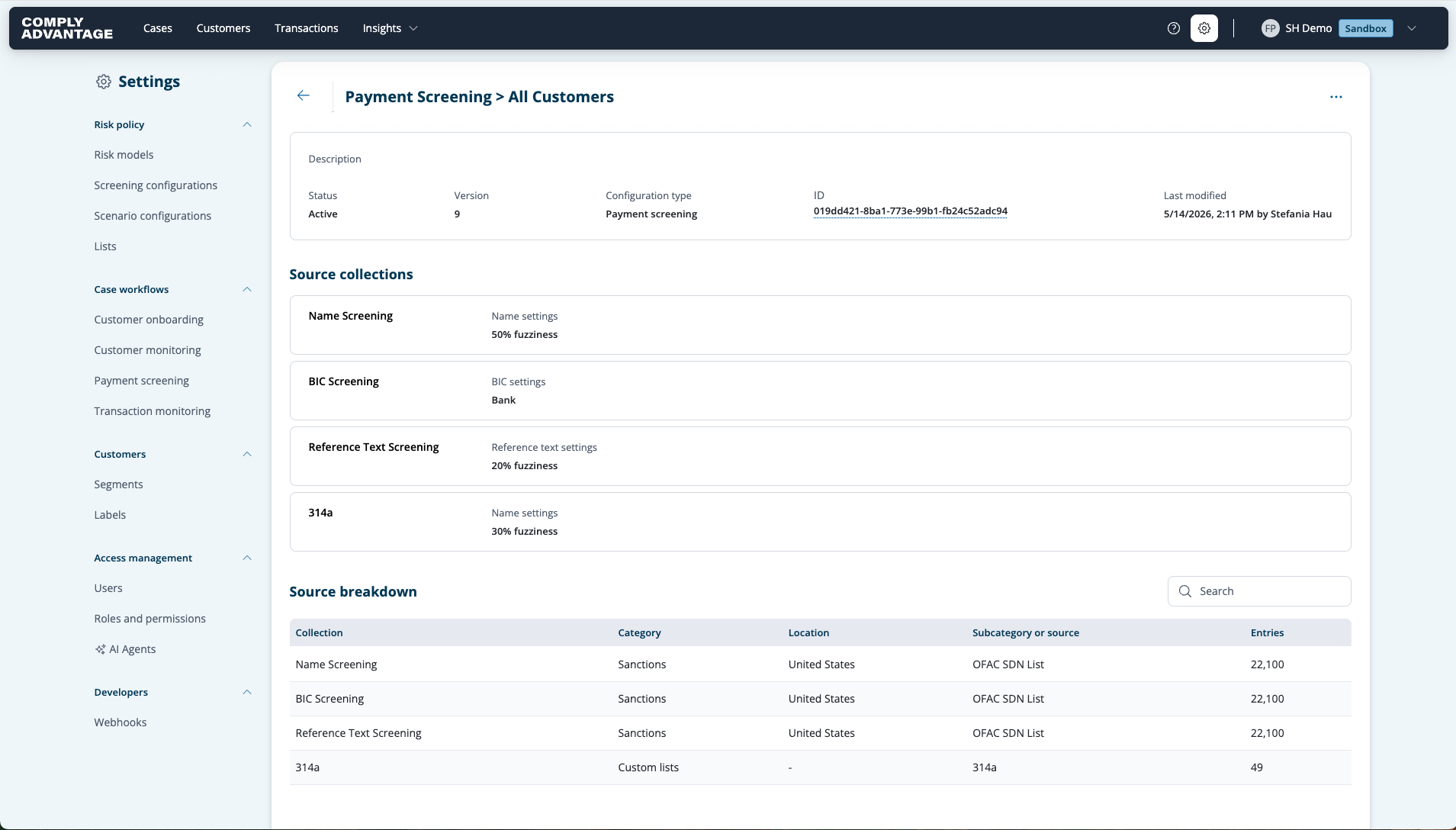
Managing configurations:
Payment screening configurations are accessible via API and UI. Please find the API documentation here.
2. Submitting payments for screening
Submission method
Payments are submitted for screening through a synchronous API endpoint. In production, you will be able to incorporate these API calls directly into your workflow, ensuring real-time responses.
We are also offering the opportunity to ingest transactions via batch.
For further information on access and endpoint usage, refer to the access documentation provided and the API documentation.
3. Managing cases
Case creation
If the payment details and a list specified in the payment screening configuration match, a case is automatically generated.
Cases appear within the Mesh Cases area, alongside other cases (such as Customer Screening and Monitoring as well as Transaction Monitoring).
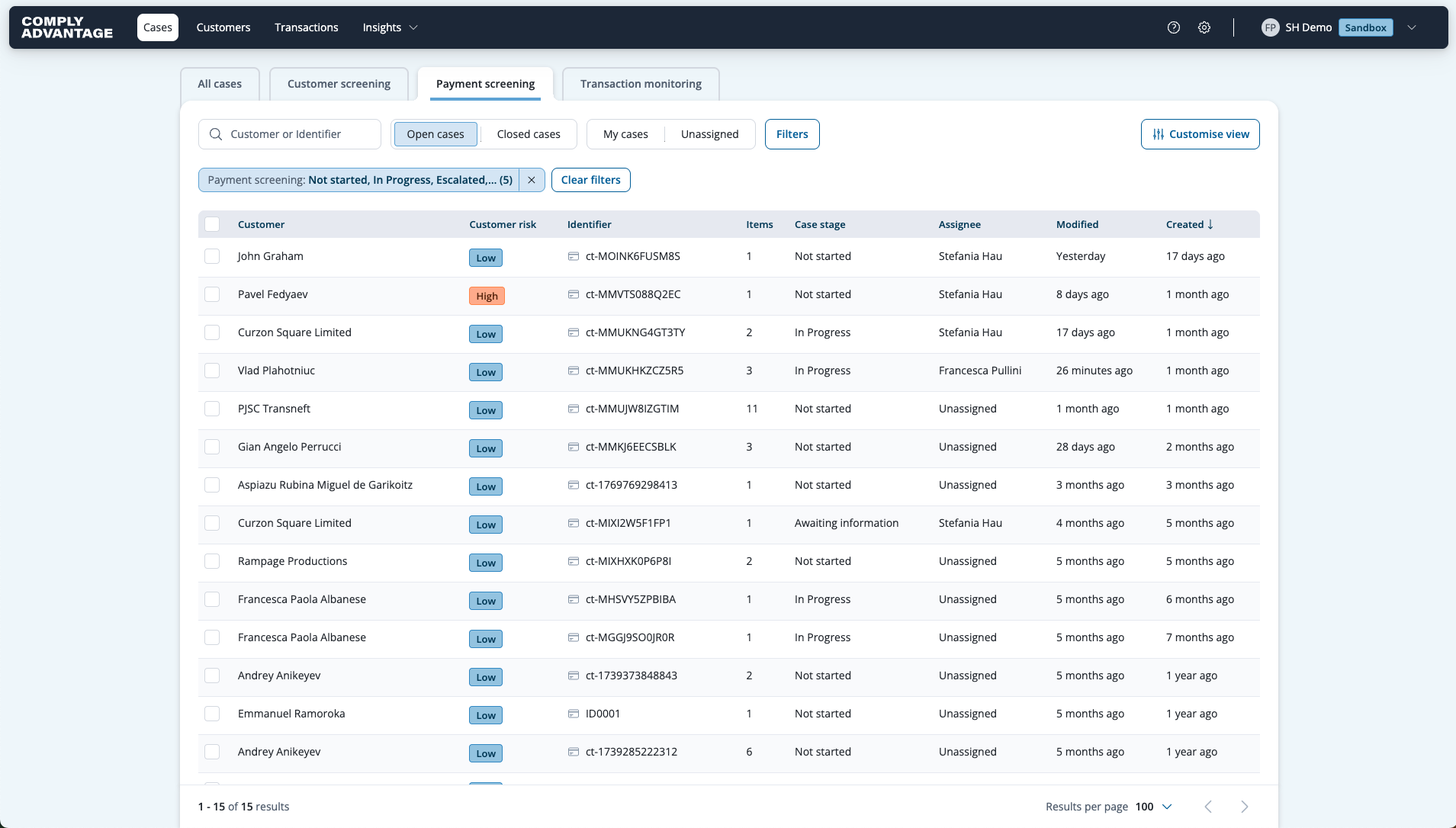
Although the structure of these cases is similar, Payment Screening cases specifically involve screening elements of a payment message, including:
• Debtor name
• Creditor name
• Names of other parties involved
• Reference text
• BIC code
Case review
Analysts can now review the transaction details alongside the matched profiles for a holistic review in a single view. Payment Screening cases contain profile hits that need to be reviewed as part of the investigation. Once you have identified if the profile is a true or false positive, you can assign the respective status.
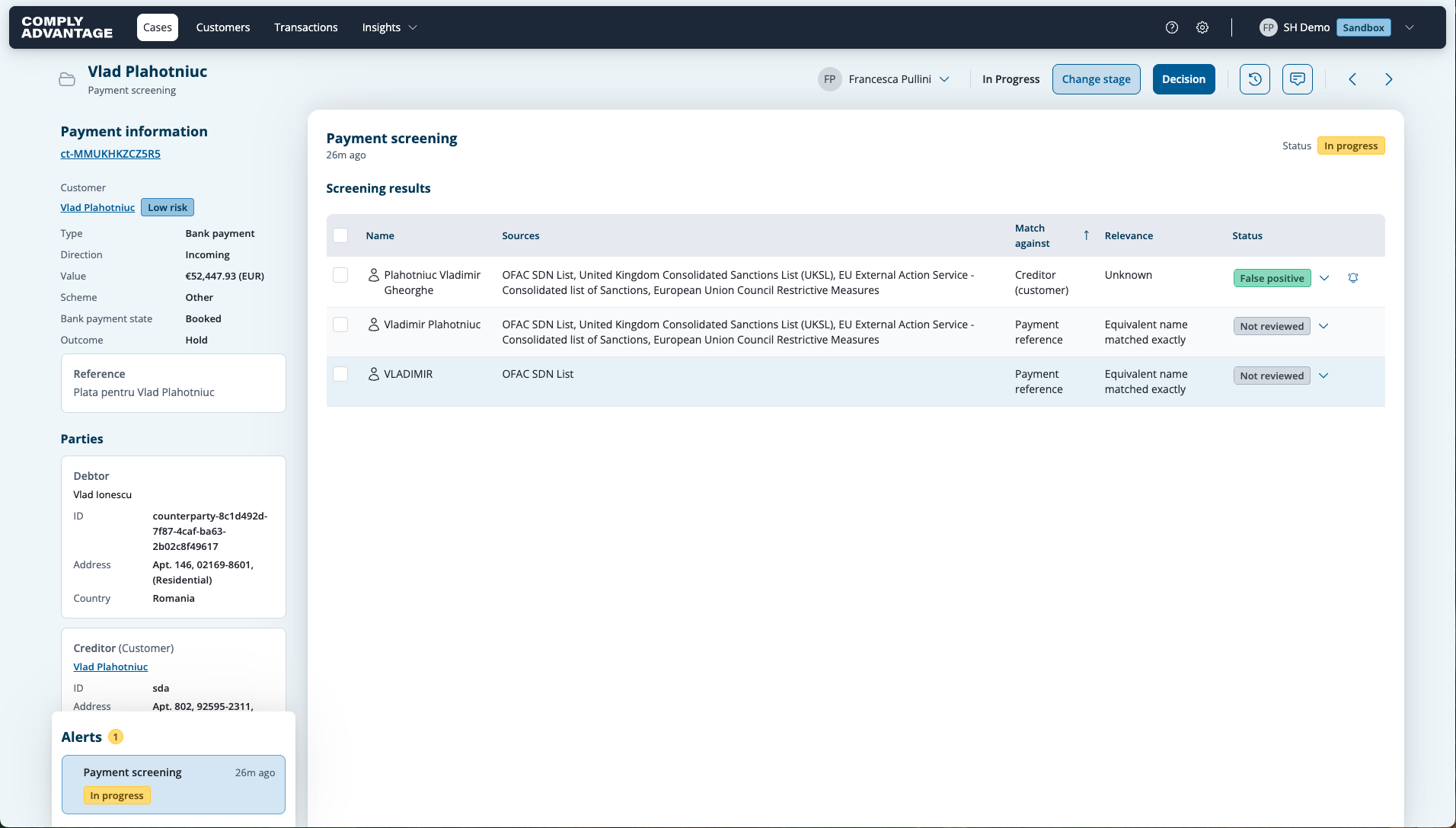
4. Transaction decisions for held transactions
The analyst determines whether to process or reject the payment. Your system receives this decision through webhook updates, allowing seamless integration into the payment authorization flow. The related API documentation can be found here.