Switching between accounts
Last updated: September 9, 2026
A user can have access to multiple accounts within an organization. You switch between accounts through the user menu.
Switching between up to three accounts
Click the arrow to open the user menu at the top right. The menu shows up to three accounts you have access to.
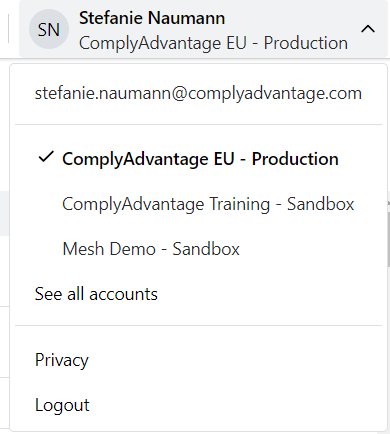
Click the account you want to access.
The page refreshes and shows the data of the account you switched to.
Switching between more than three accounts
Click the arrow to open the user menu at the top right.
Click See all accounts in the menu.
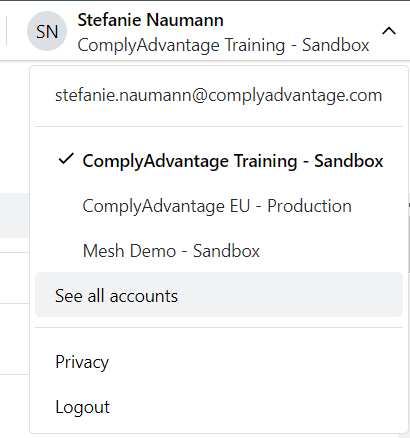
Select the account that you want to switch to.
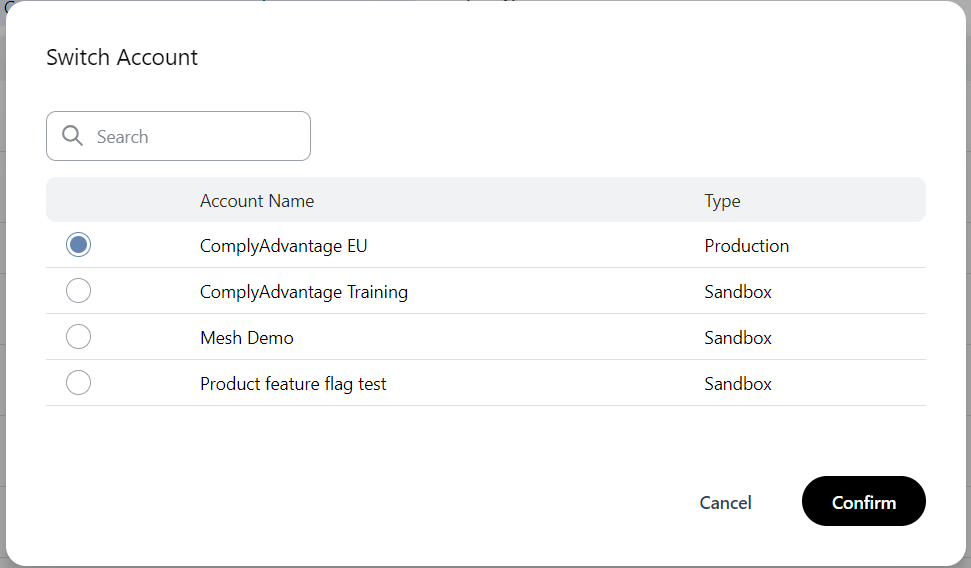
Click Confirm.
The page refreshes and shows the data of the account you switched to.