Case subjects: Customer and Counterparty cases
Last updated: August 20, 2026
A case subject is the specific entity around which all triggered alerts are grouped into a case.
This approach allows analysts to evaluate the entity's overall behaviour instead of just looking at isolated events. When a scenario is created, you choose whether it should group alerts by customer or counterparty.
A counterparty is the other party in a transaction, typically a non-customer of the client. It's also possible for both parties in a transaction to be customers of the client, or even the same customer.
Any new alerts for that entity are automatically added to its open case until it's closed.
What are the types of case subjects?
There are two primary types of case subjects:
Customer Case: This case is focused on a single customer.
Counterparty Case: This case is focused on a single counterparty.
Why are Counterparty Cases needed?
When a suspicious pattern of transactions involves multiple customers and one counterparty, all related alerts need to be grouped into a single case to directly address the underlying question: "Is this counterparty involved in suspicious behavior?".
Counterparty cases solve this problem by grouping all alerts related to a single counterparty into one case, rather than creating multiple customer-focused cases. This approach provides a centralized view for investigating the activity of the counterparty itself.
Counterparty cases are specifically designed for transaction monitoring (TM) cases and do not apply to payment screening cases. This is because payment screening only applies to customer transactions.
How is a Counterparty case different from a Customer case?
While both case types are used to investigate potentially risky activity, they differ in their focus and the information displayed:
Case List View
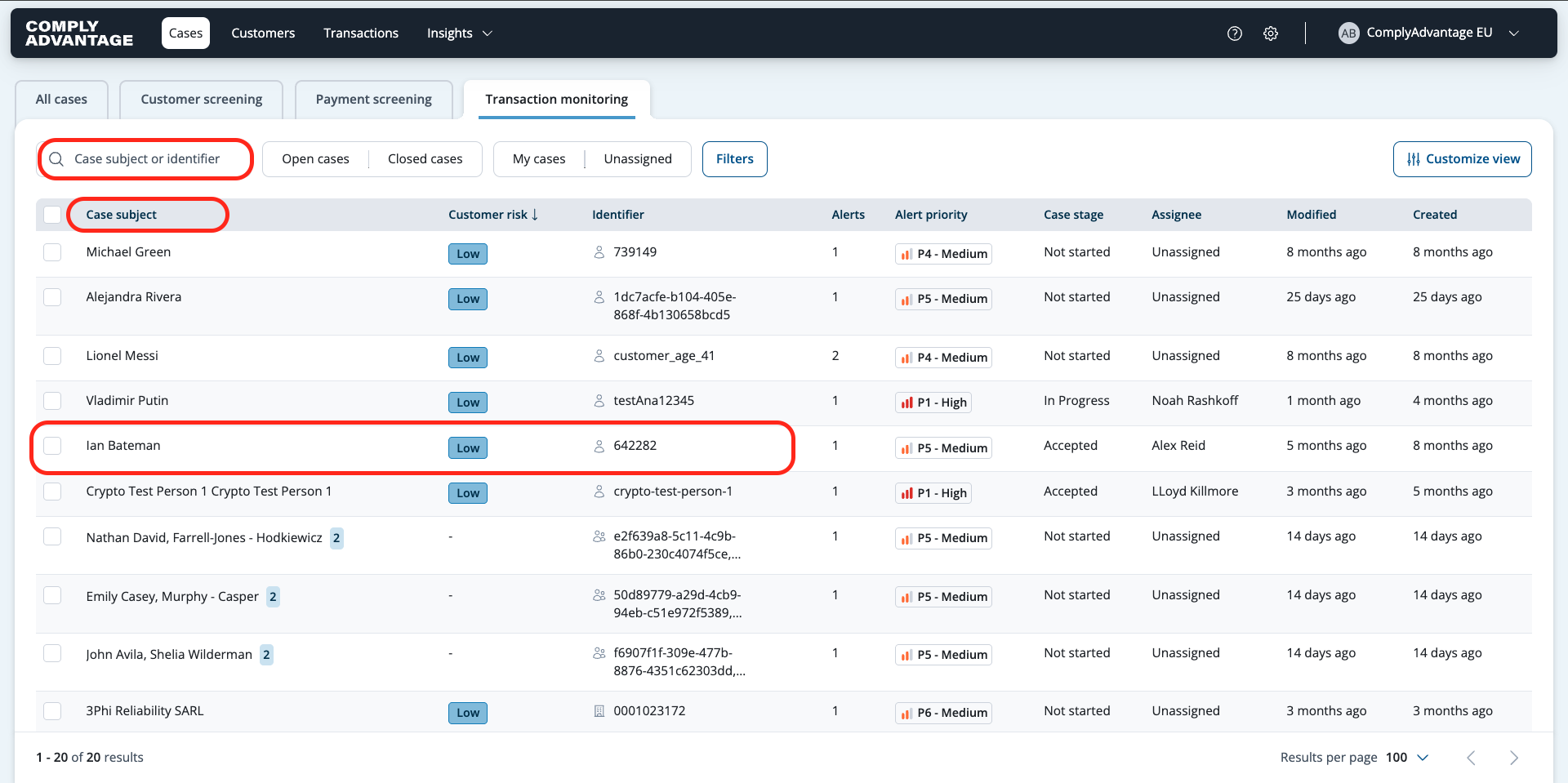
On the case list, counterparty cases are distinguished by a different icon from customer cases. The "Case subject" column displays the counterparty's identifier and name, while the "Risk level" column will not have a value for counterparty cases. Search functionality is also updated to cover counterparty identifiers.
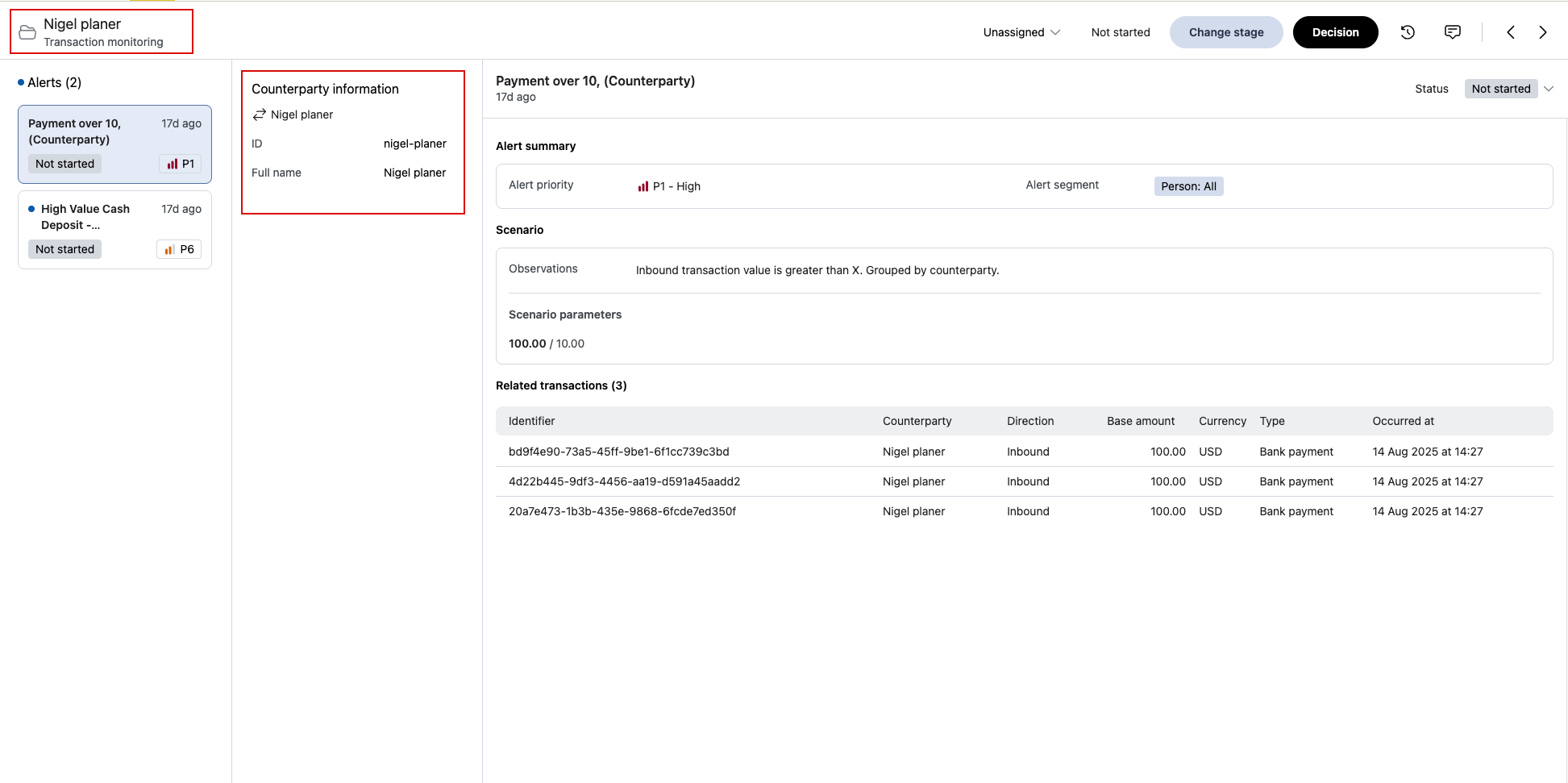
Case Detail View
The case header for a counterparty case shows the counterparty's name. The sidebar will also display links to all customers involved in the alerts, allowing analysts to navigate to each customer's page.