How to screen a payment reference text against risk words
Last updated: July 27, 2026
Risk word screening is an extension to the custom list capability described in this article. It lets users create their own lists of high-risk terms and allows payment reference texts to be screened against them. This could for example include references to sanctioned jurisdictions, prohibited goods, or high-risk activities (i.e. terms such as firearm, drugs etc.).
Screening payment reference texts against risk words
First Step: Create your Risk Words List
In the settings area go to ‘Lists’ settings
Select Risk Words List
Select Create
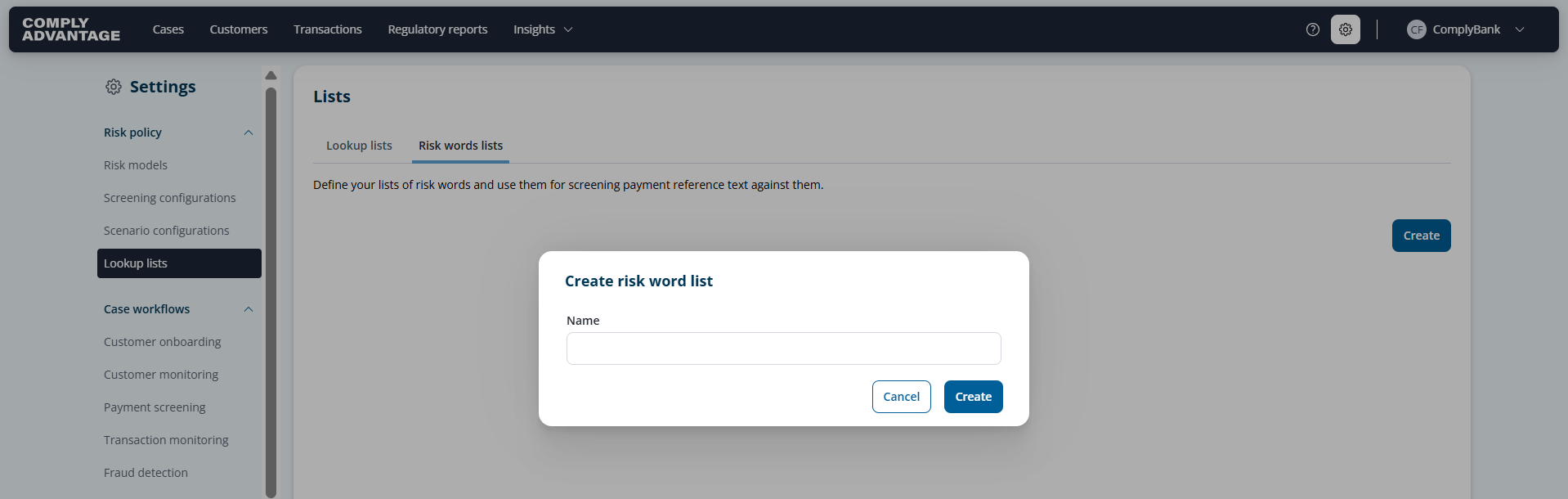
Name your list
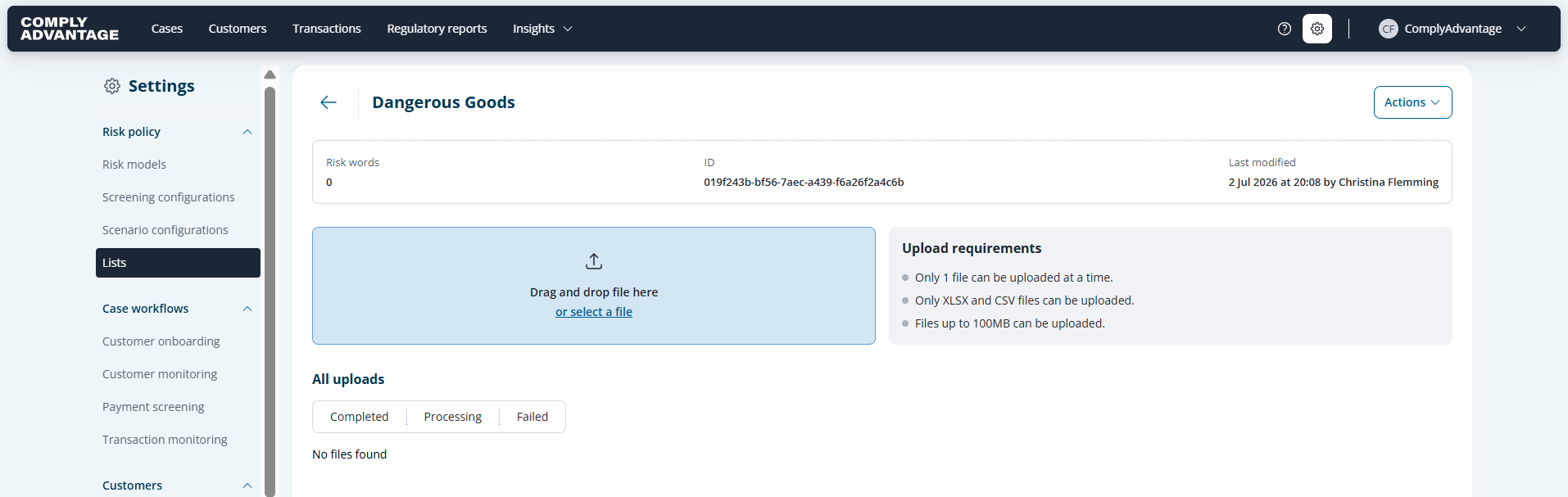
Upload your file containing the relevant risk words.
The system validates the file and reports back the upload summary.
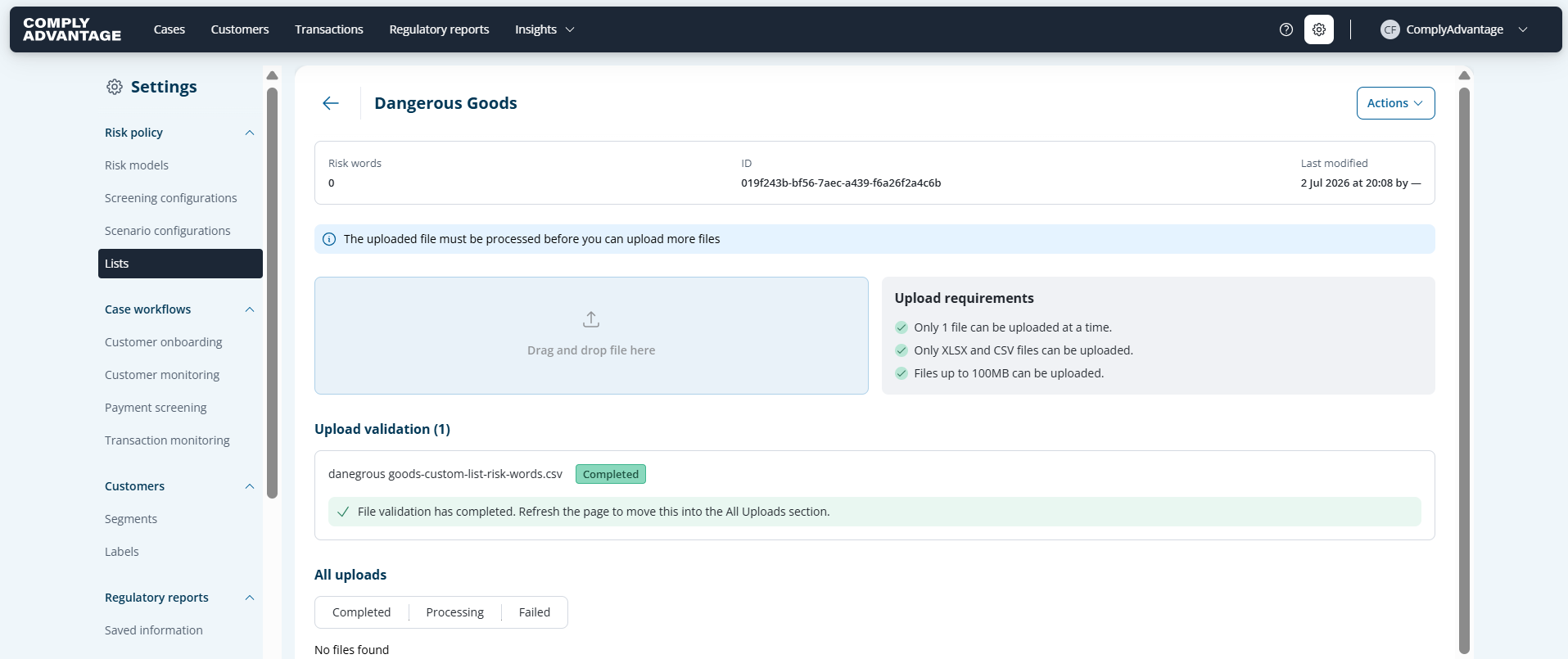
The list appeared as successfully uploaded
And appears accordingly on the overview page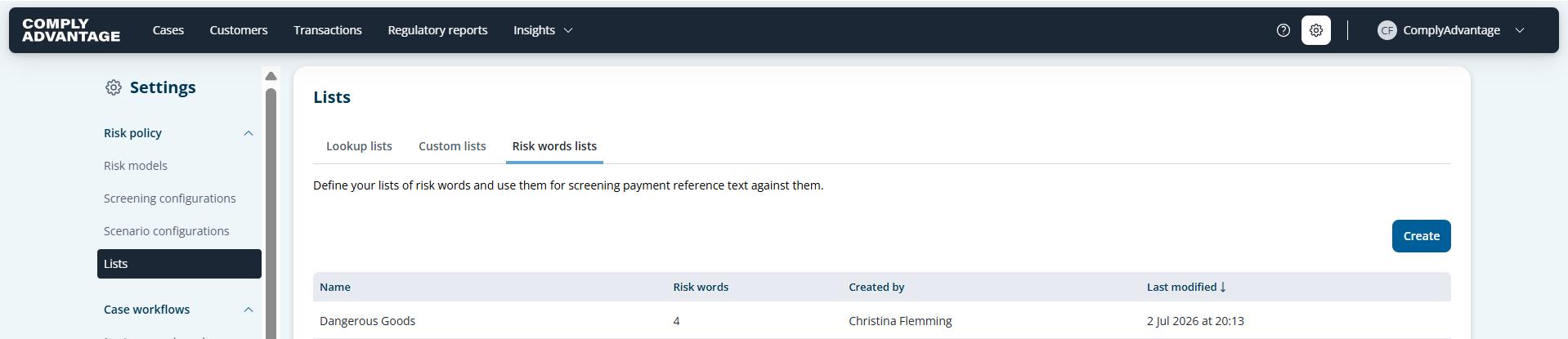
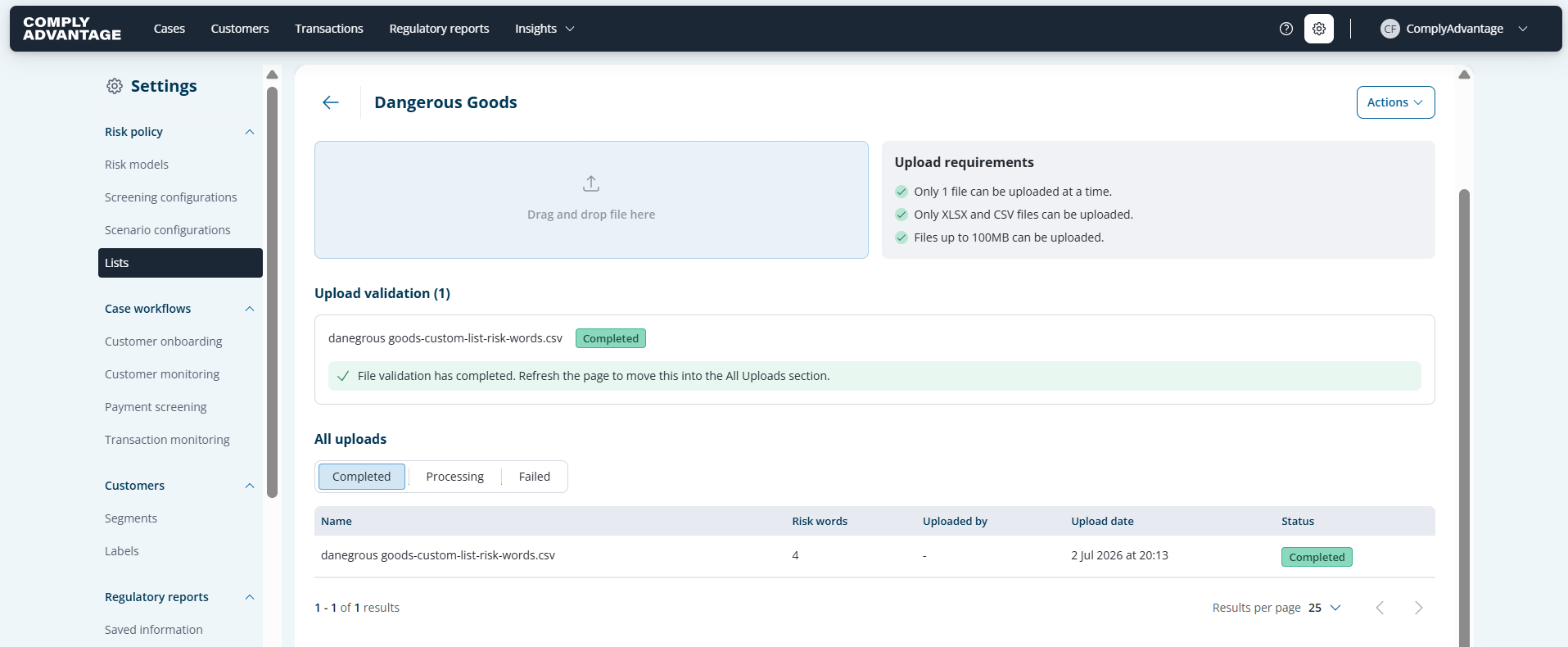
Second Step: Create your Screening Configuration including Risk Words List
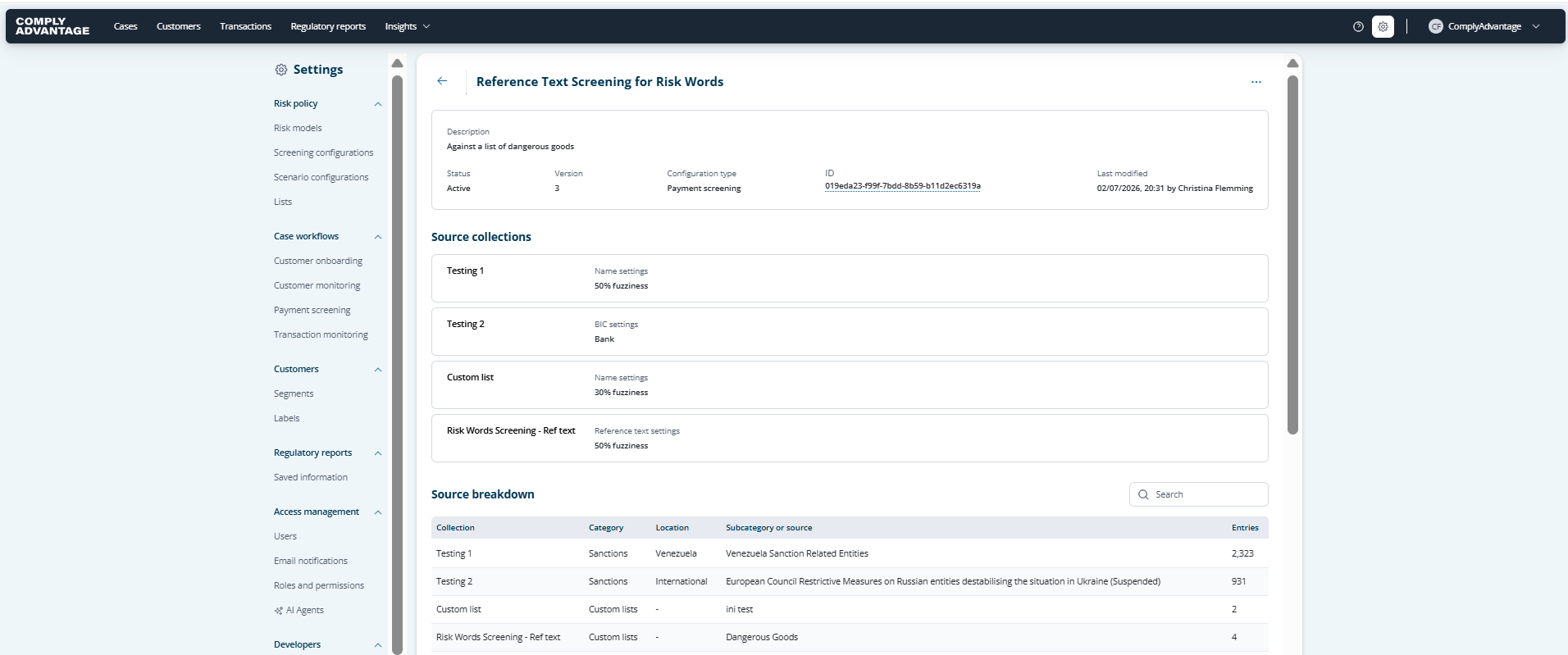
From the payment screening configuration, select ‘Reference Text (Custom Sources’ as your screening term
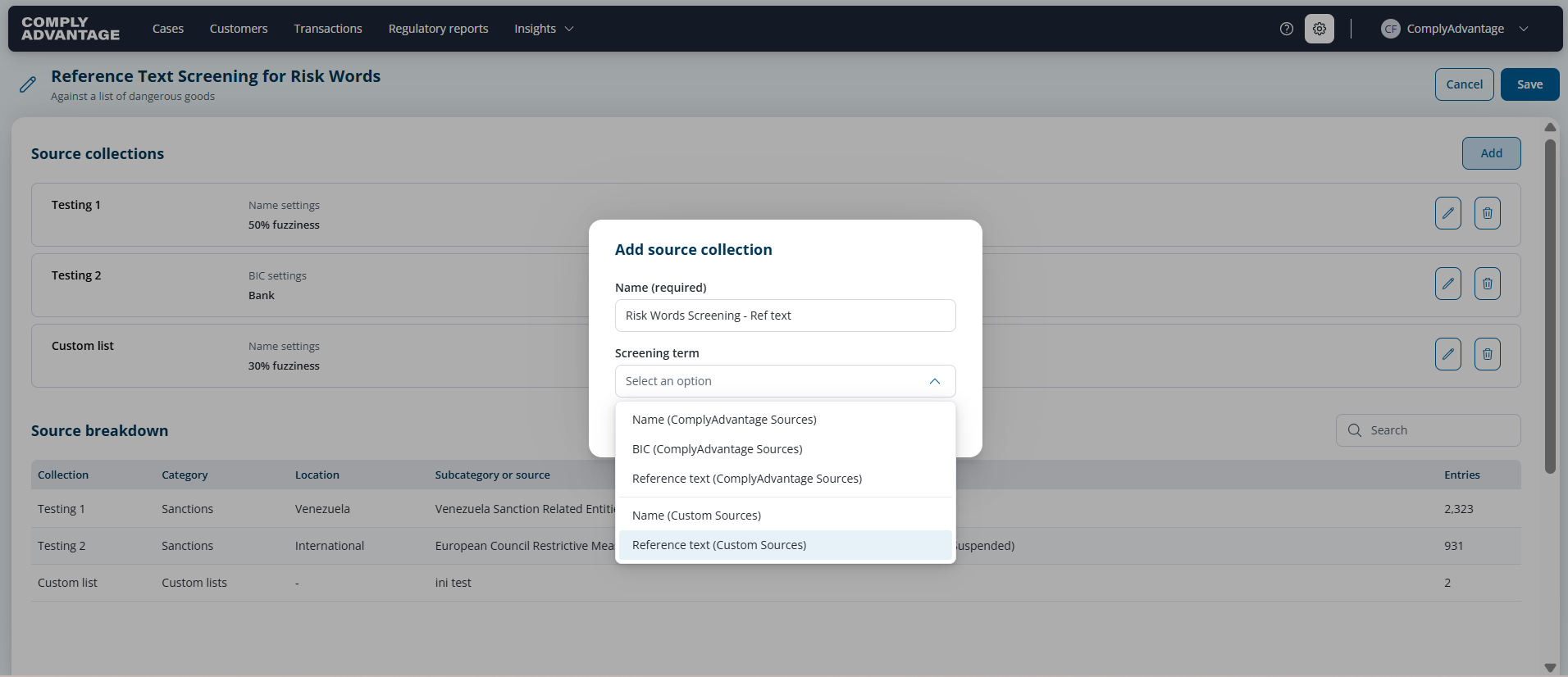
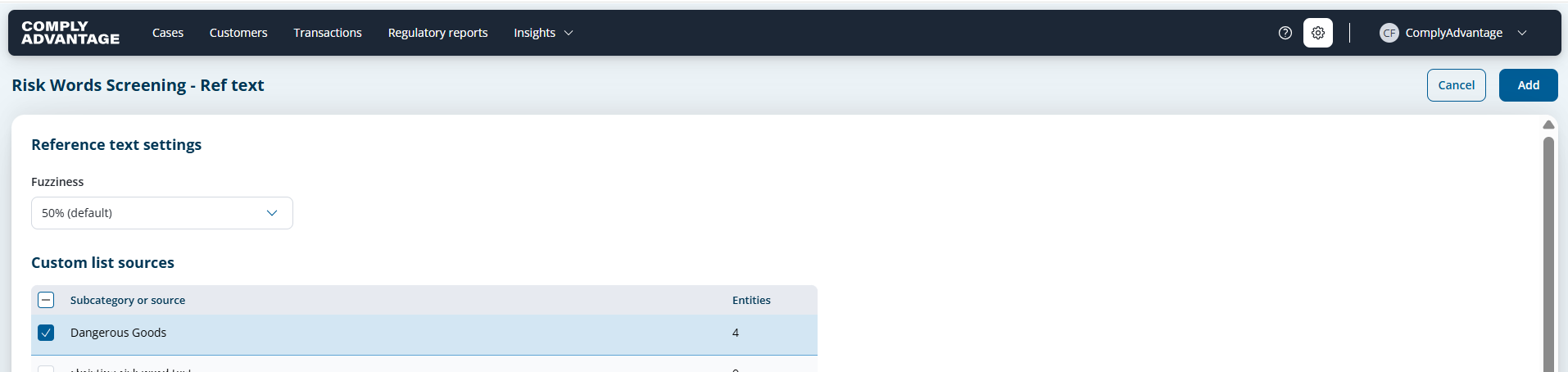
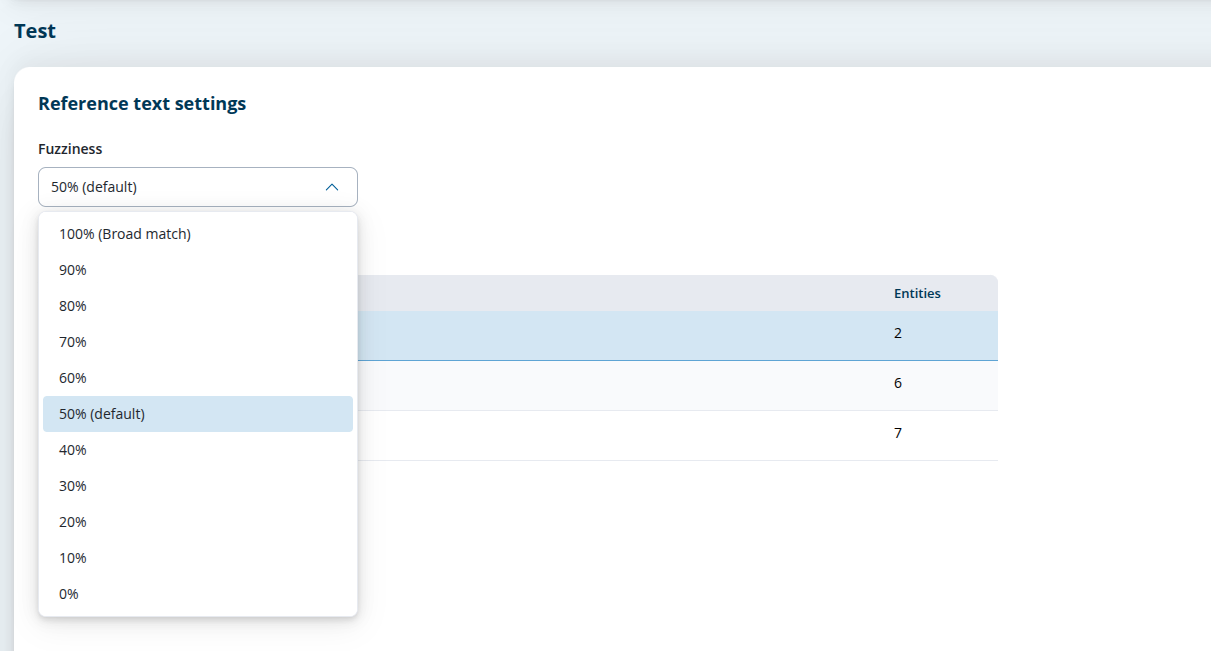
Select the Risk Words List you want to screen against, set your required fuzziness and click ‘add’
The Source collection is added and the Risk Words LIst appears in the Source Breakdown
Reference text is the only screenable dimension available for this collection type.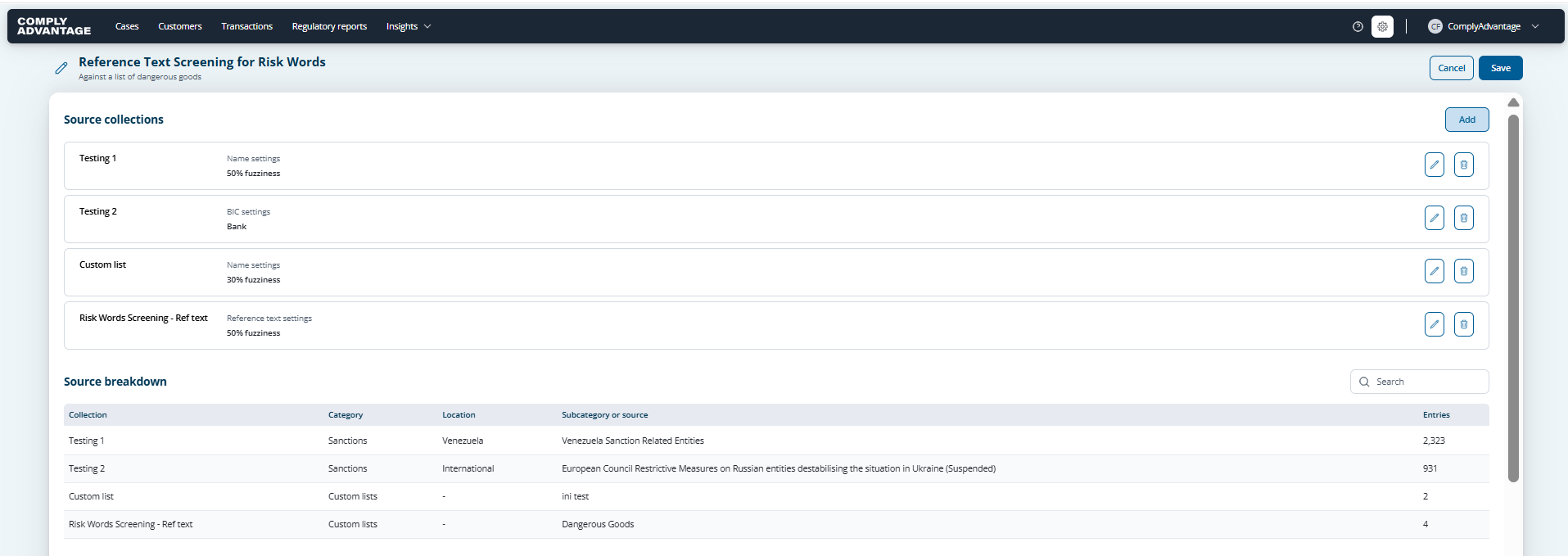
Save the configuration. Subsequent payment transactions with reference text are screened against the attached risk word terms.
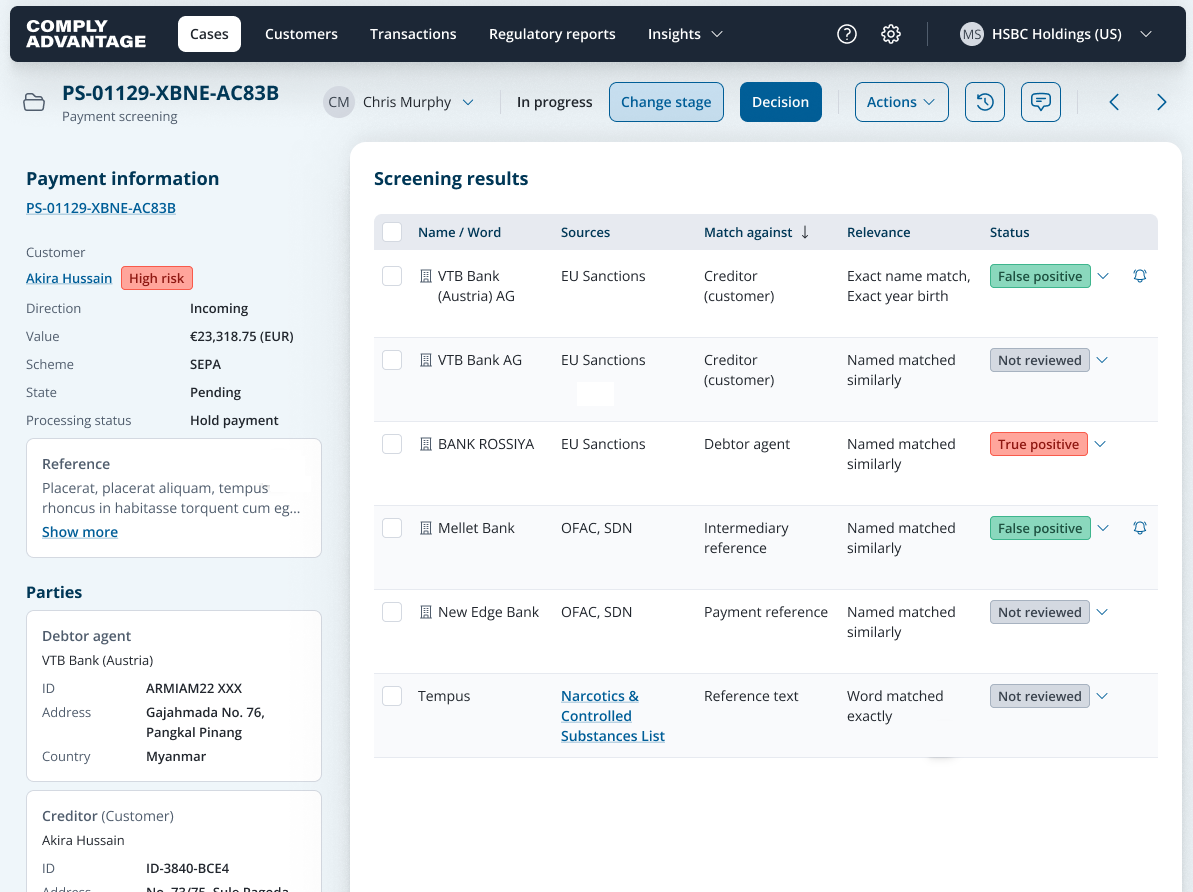
If a transaction's reference text matches a configured term, the system generates a case with a Risk words risk type in the case list, showing the matched term, the triggering reference text, and the source list name.
What you need to know
Permissions: Risk word screening is gated behind a dedicated account-level permission. Users without the relevant permission will not be able to create, manage, see or select risk words lists. It is off by default and must be enabled per account.
Scope: This applies to Payment Screening on Mesh only. It is not available for CSOM screening.
Coverage: Risk word screening runs across all four monetary transaction schemas — bank payment, remittance, crypto, and card — wherever reference text is present. Transactions without reference text are processed without error and do not generate risk word matches.
Dimension: Risk words lists can only be screened against reference text. They cannot be used to screen name or BIC fields.
Matching behavior: Matching uses the same n-gram search used for sanctions screening today. Customers will be able to configure the fuzziness level for the risk word list.
API access:
Risk word lists can also be created, updated, and deleted via the Risk word API endpoints. See the API documentation for details.