Turn on/off ongoing monitoring
Last updated: August 20, 2026
Ongoing monitoring of a customer can be enabled from the customer record. Please be aware that you can only change the monitoring status of a customer if their status is Active.
Navigate to the customer record by searching or using filters on the Find customer page.
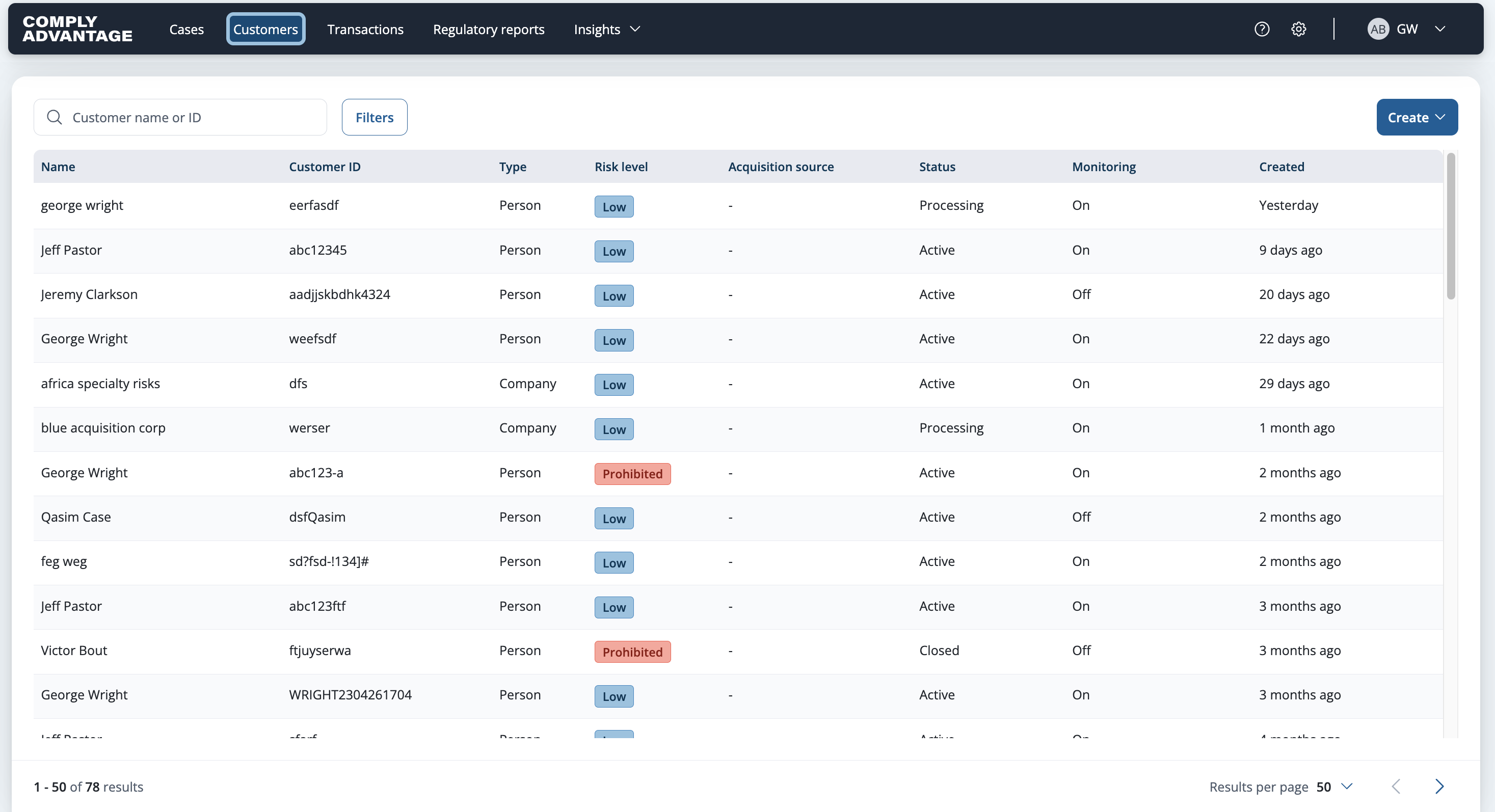
Select the row of the customer you want to turn monitoring on or off for.

Select Actions in the upper right.
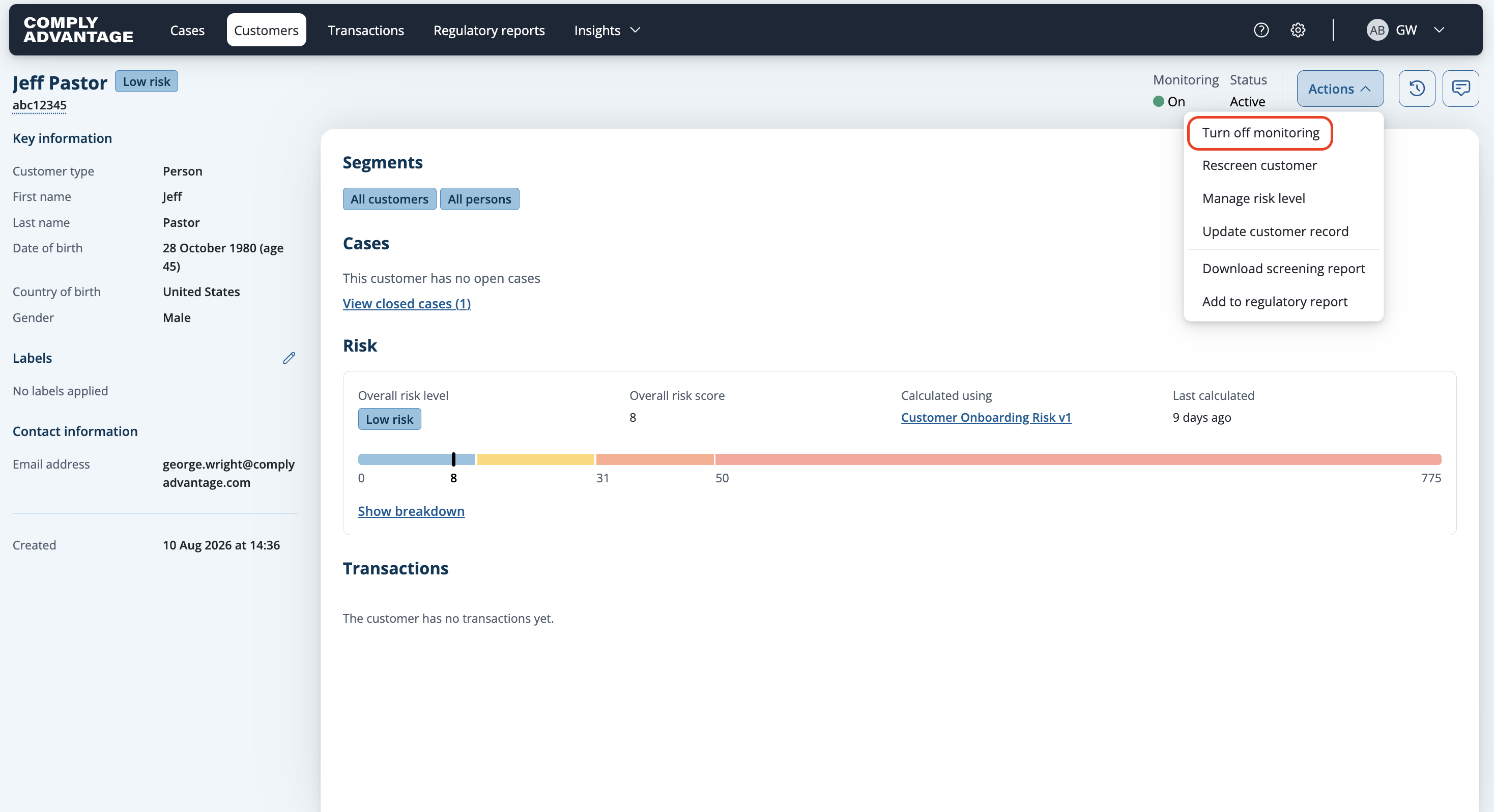
Click Turn off monitoring to disable ongoing monitoring.
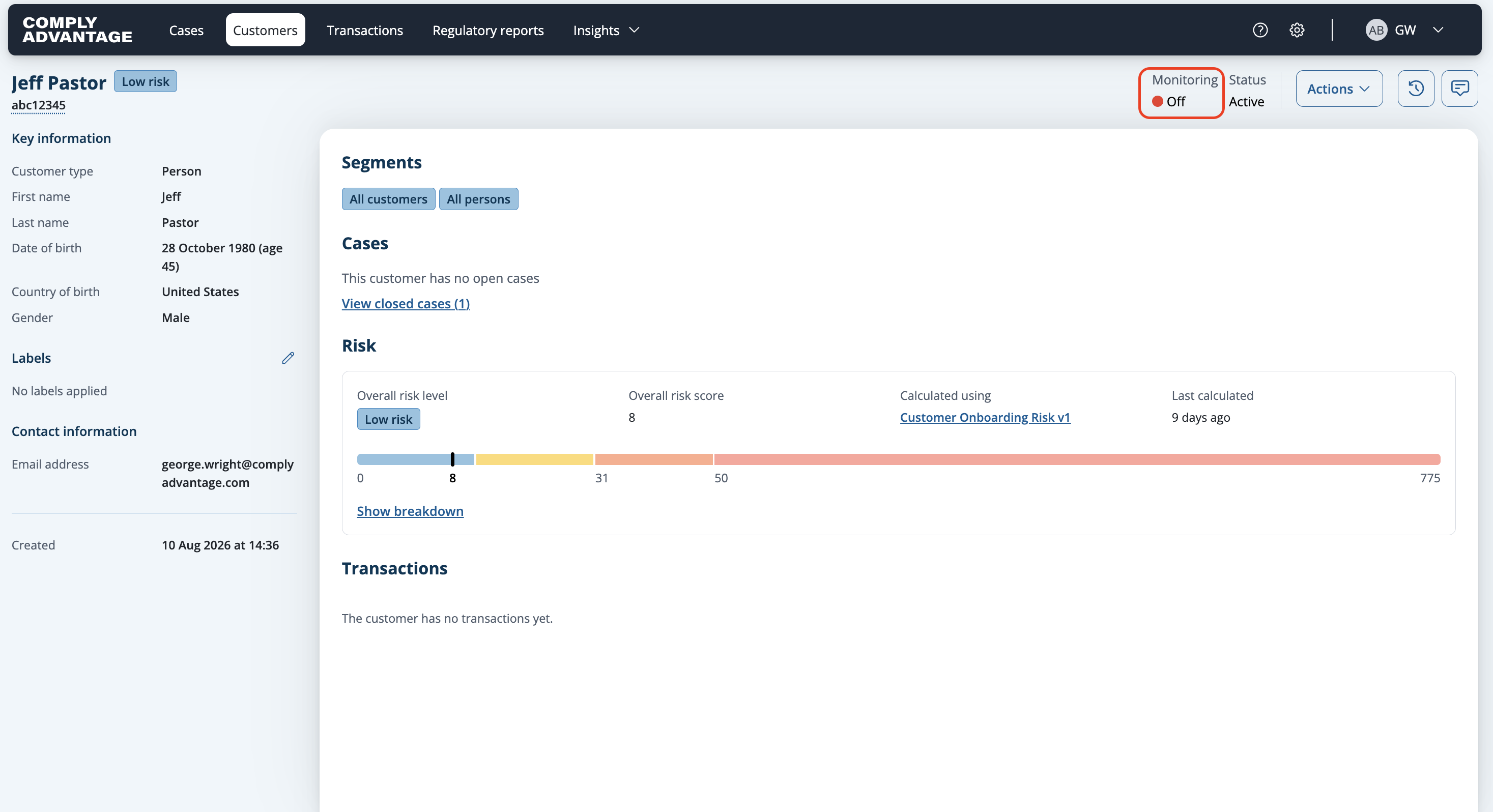
The monitoring status will be updated to Off.
Select Actions again.
Click Turn on monitoring to enable ongoing monitoring.

The monitoring status will be updated to On.