How to screen payments against PEP and Watchlist profiles
Last updated: August 25, 2026
PEP and Watchlist screening extends Payment Screening on Mesh to politically exposed person (PEP) and Watchlist profiles, alongside the sanctions, custom list, and risk word sources already available. Watchlist covers warnings and fitness and probity profiles. It also introduces a new screening outcome set per source collection, so a hit can either hold the payment for review or allow the payment to proceed while raising an alert for post-execution review.
Screening payments against PEP and Watchlist profiles First step: add PEP or Watchlist to your screening configuration
In the settings area, go to 'Screening configurations'.
Open the configuration you want to update, or create a new one.
Select your screening term. PEP is available for Name. Watchlist is available for Name and Reference text.
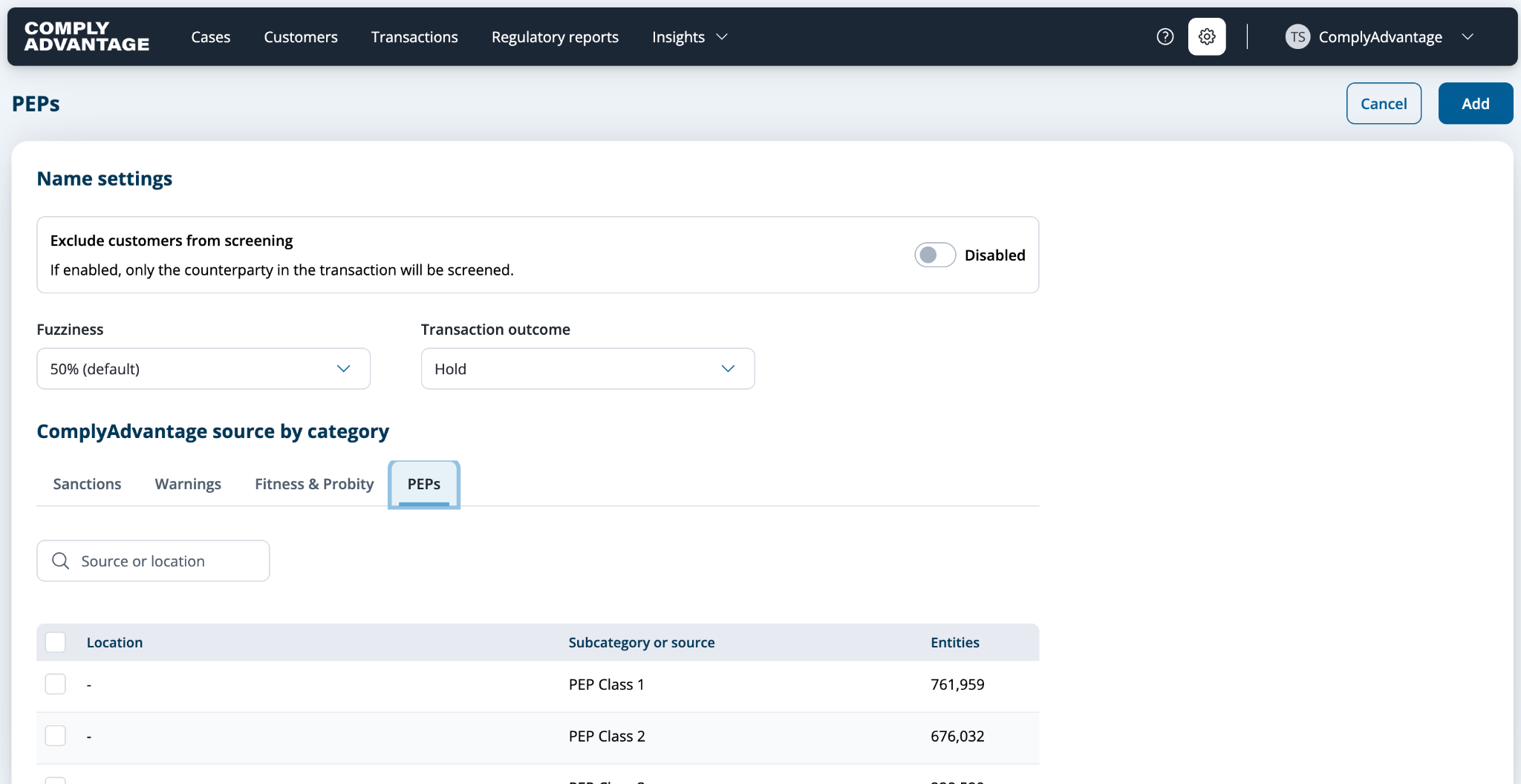
Select PEP, Warnings or Fitness & Probity as your source.
To screen against specific lists rather than the whole source, select the individual lists you want to include.
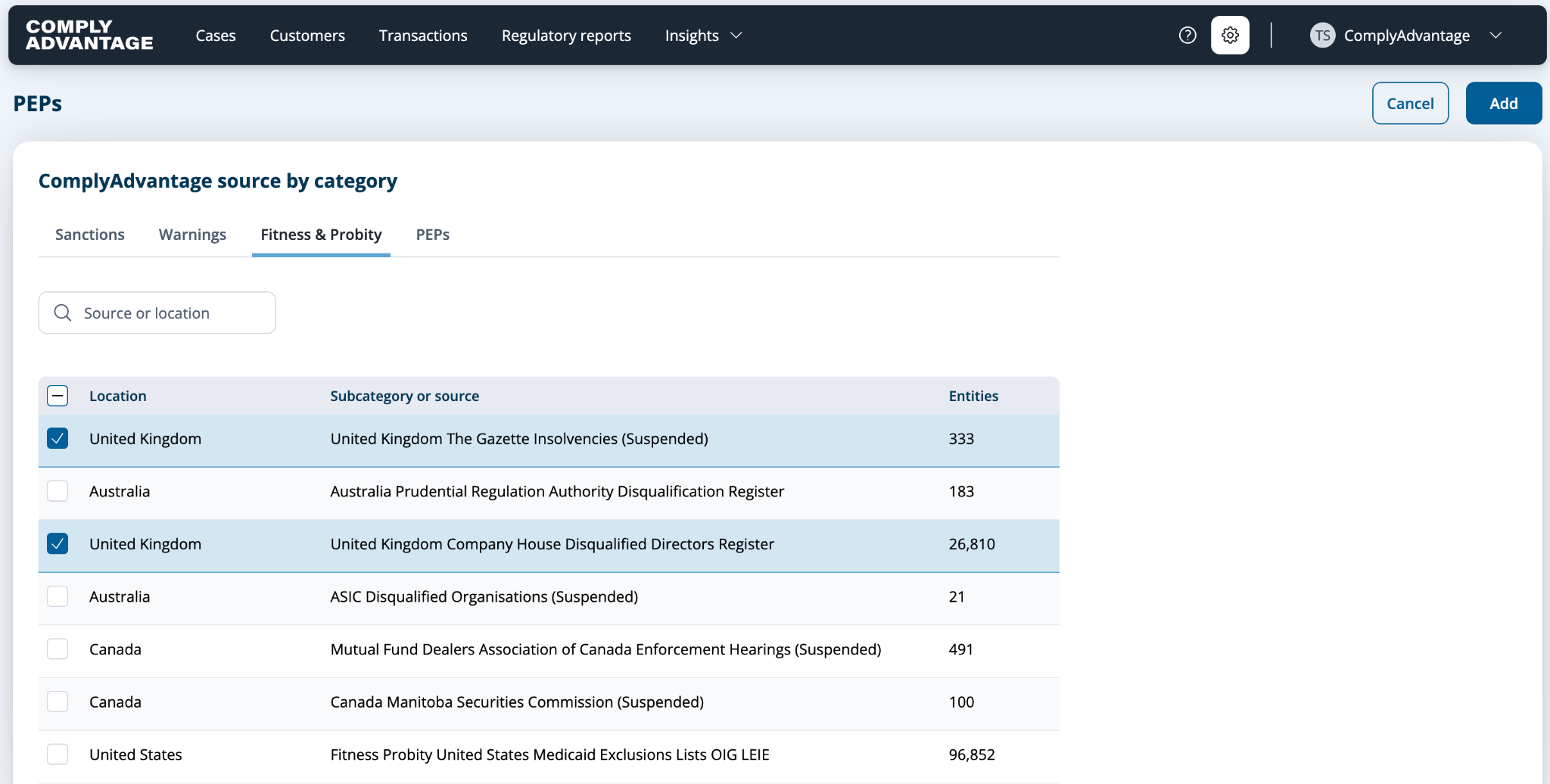
On the source collection, set the Screening decision to Hold or Allow.
Hold — a hit from this collection holds the payment pending review.
Allow — a hit from this collection raises an alert for post-execution review, and the payment proceeds.
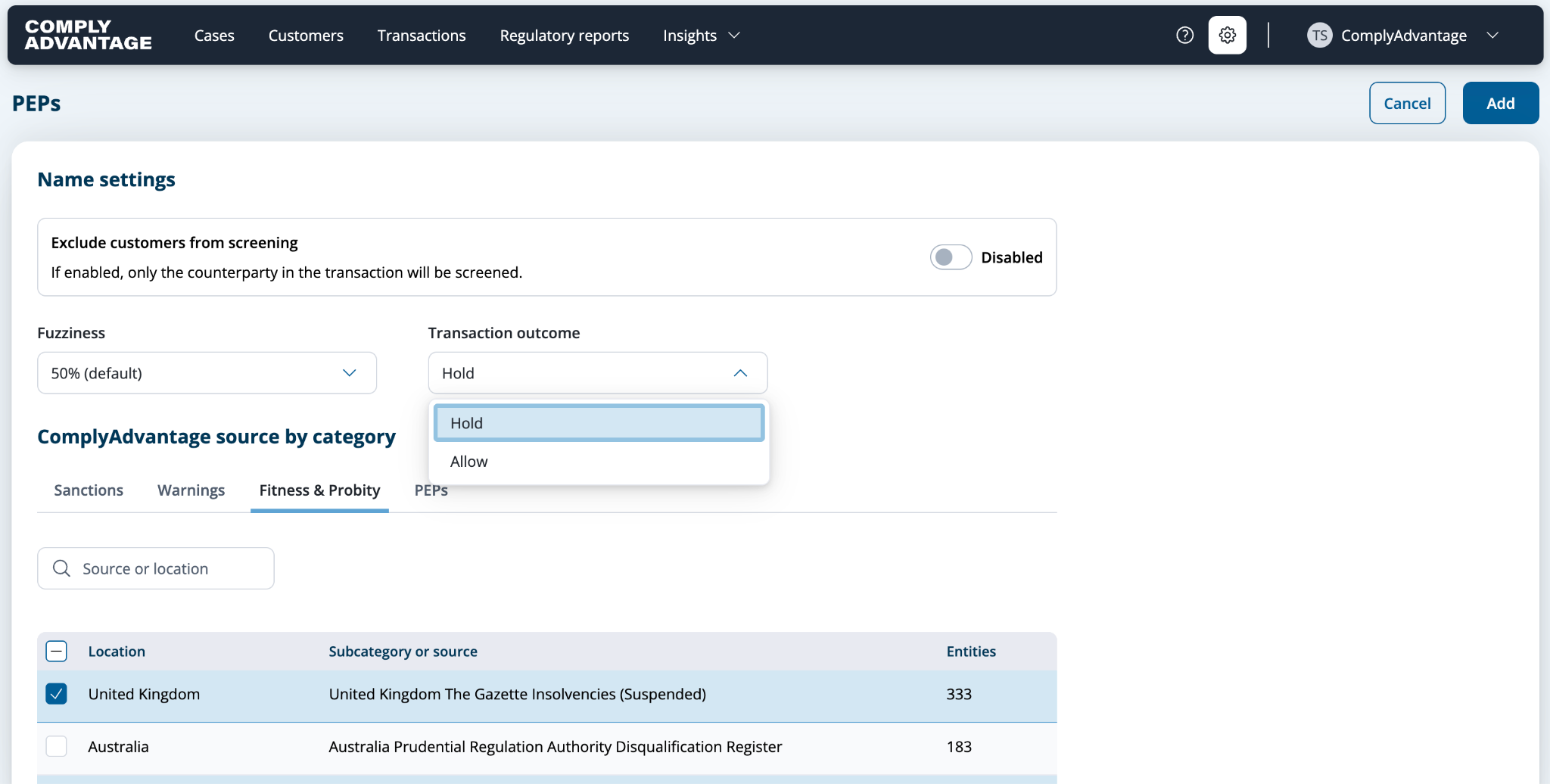
Important note:
The screening outcome you set up here applies only to this particular collection, and does not affect other collections, or products. Hold outcome always takes priority, so if screening of a transaction will result in a match against a collection that has an outcome set to “Hold”, a transaction will be held.
Set your required fuzziness and click 'add'.
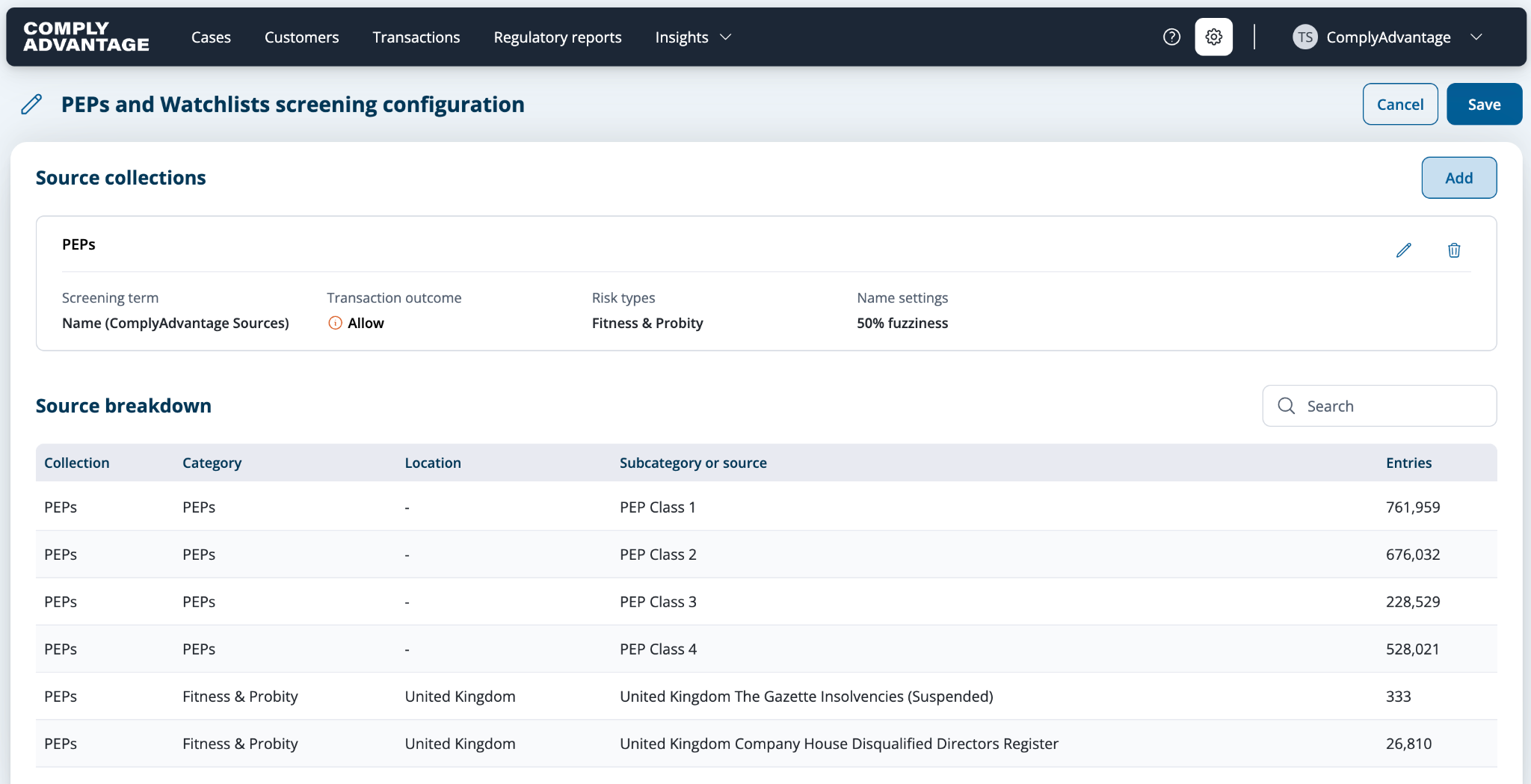
You can set the screening decision for each collection independently. A configuration can, for example, hold on sanctions and allow on PEP.
The source collection is added and the selected source appears in the Source Breakdown.
Second step: review PEP and Watchlist results
If a payment matches a configured PEP or Watchlist profile, the system generates a case showing the matching risk type, the matched profile, and the source list name.
Open the case to see the matched profile detail. For PEP hits this includes the PEP classification, political position, and country, where available.
Review, resolve, and evidence the outcome using the existing payment screening case workflow.
What you need to know
Permissions: PEP and Watchlist screening is gated behind a dedicated account-level permission and requires a commercial agreement covering PEP and Watchlist data. It is off by default and must be enabled per account. Users without the permission cannot see or select PEP and Watchlist sources.
Scope: This applies to Payment Screening on Mesh only.
Screenable dimensions: PEP can be screened against the name field. Watchlist can be screened against the name and reference text fields. PEP is not screenable against reference text.
Screening decision is set per collection: The screening decision applies to every hit produced by that collection. It cannot be set per alert, per party, or per individual list.
An Allow decision does not override other holds: Allow governs only the hits produced by that collection. If another collection on the same payment is set to Hold, or another product such as Fraud returns a hold, the payment is still held.
Default behavior: New source collections default to Hold. Existing configurations are unchanged, so payment outcomes stay the same until a screening decision is changed.
Case grouping: Hits from Hold collections continue to group into a single case per payment. Hits from Allow collections are raised in a separate case, reflecting that they are post-execution review work rather than a blocked payment.
Muting: Existing muting behavior covers PEP and Watchlist entities. Whitelisting entities after a decision has been made is not supported.
Configuration limits: A screening configuration supports up to four source collections per screening term - you may create up to 4 Name based collections, up to 4 BIC based collections, and up to 4 Reference Text based collections.
Not included: PEP reference text matching, lookup list matching, configuration of which PEP categories or thresholds are screened, transaction data-driven screening configurations, and post-decision whitelisting.
API access:
PEP and Watchlist sources and the per-collection screening decision can also be set through the Payment Screening configuration API. See the API documentation for details.
Related Articles
Setting up your Payment Screening Configuration
Get started with Payment Screening on Mesh